
AI
Model Context Protocol (MCP): Connect AI Agents to Your Tools
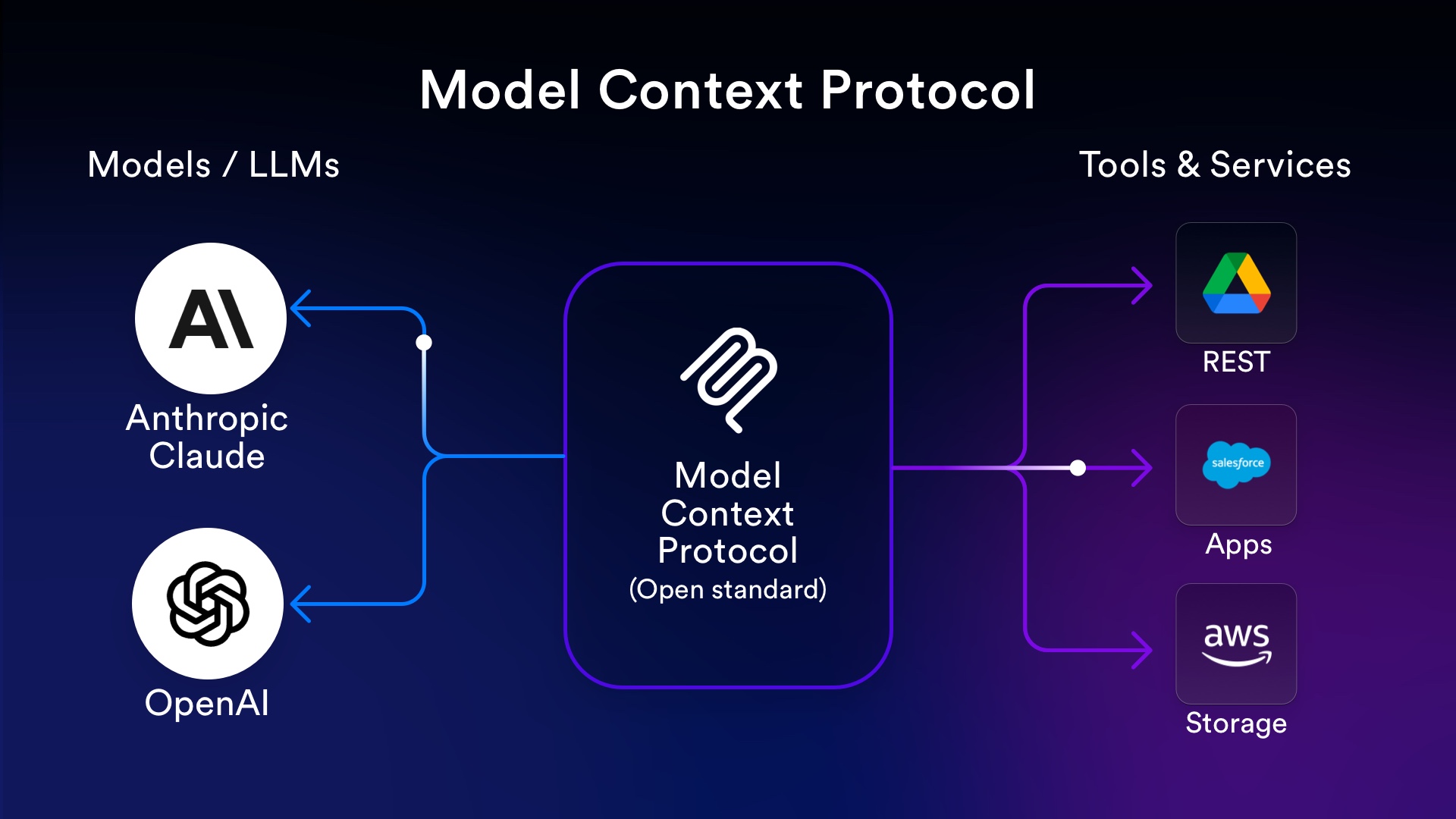
Picture a team that wants an AI assistant to look up a customer in the CRM, check an open ticket, and draft a reply. Someone writes a custom integration for each system. Three months later the model provider changes, the CRM updates its API, and half the glue code breaks. If that sounds familiar, you've met the problem the Model Context Protocol (MCP) was built to solve.
What Is the Model Context Protocol?
MCP is an open standard that defines how AI applications talk to external tools and data. Think of it as a common plug shape. Instead of writing a bespoke connector for every pairing of model and system, you expose your system once as an MCP server, and any compatible MCP client (an AI app or agent) can use it.
A server can offer three main things:
- Tools: actions the model can call, such as
create_ticketorrun_query. - Resources: data the model can read, such as files, records, or documentation.
- Prompts: reusable templates for common workflows.
Why MCP Matters Right Now
Agentic AI only becomes useful when agents can act on real systems. The protocol has kept evolving: the 2025-11-25 specification, for example, added an experimental Tasks feature for long-running, "call now, fetch later" operations, and reworked parts of authorization, including Client ID Metadata Documents. It is described as backward compatible with the previous June 2025 version. Details are worth confirming in the official specification before you build.
For businesses, the appeal is less lock-in. A well-built MCP server is not tied to a single model vendor, so switching or mixing models doesn't mean rewriting integrations.
How an MCP Integration Works in Practice
A simple example
Say you run an internal support tool. You wrap its search and ticket endpoints in an MCP server. Each tool gets a clear name, a plain-language description, and a typed input schema. When a user asks the agent about an unhappy customer, the client discovers the available tools, the model picks search_tickets, the server runs it, and the result flows back into the conversation.
The descriptions matter more than people expect. The model chooses tools by reading them, so vague names like do_action lead to wrong calls. Write them as you would for a new colleague.
Common use cases
- Developer assistants that read repositories, issues, and CI results.
- Customer support agents that pull account data and open tickets.
- Internal analytics, where an agent runs approved, read-only database queries.
- Workflow automation that chains several business systems together.
Security: The Part You Can't Skip
Giving a model the ability to act is powerful and risky. The specification itself acknowledges that the protocol cannot enforce security principles on its own, so your application has to. Practical habits:
- Least privilege. Give each server only the access the task needs. Start read-only.
- Human confirmation for anything destructive, such as deleting records, sending money, or emailing customers.
- Treat tool output as untrusted. A web page or ticket can contain text that tries to steer the model, which is known as prompt injection.
- Vet third-party servers. A community server running locally is code running on your machine. Review it as you would any dependency.
- Use proper authorization for remote servers rather than shared API keys, and log every tool call for audit.
If these ideas sound familiar, they overlap heavily with zero trust thinking: never assume a caller is safe just because it's inside your network.
Challenges to Plan For
- Tool sprawl. Too many tools in context confuse the model and waste tokens. Expose a focused set.
- Reliability. Models occasionally call tools with wrong arguments. Validate inputs and return clear error messages.
- A moving standard. Some features are experimental, so pin versions and expect change.
- Observability. Trace which tools were called, by whom, and why, so you can debug agent behavior.
Actionable Takeaways
For developers: start with one small, read-only MCP server around an API you already own. Official SDKs exist for several languages, so you don't need to implement the protocol from scratch. Write sharp tool descriptions, validate every input, and log everything.
For business leaders: pick a single workflow with a clear payoff, such as support lookups, and pilot it with tight permissions and human approval steps. Measure time saved before expanding.
Conclusion
MCP won't make an agent smart, but it does make agents connectable, and that is often the real bottleneck. Adopt it deliberately: small scope, strict permissions, good logging.
Thinking about connecting AI agents to your own systems? The team at Annz Tech would be glad to talk it through with you.
An AI agent is only as useful as the systems it can safely reach.